
Starts from the record
The player's name, club, position and photos are already in Relai. A reel or a graphic starts from them, so nothing is retyped and nothing is out of date.
Feature · Player media
Cut a reel for scouts and a match-day graphic for social, in your agency's branding, inside the player record you already keep. No second tool, no files to chase, nothing to retype.
Reels and artwork live on the player record, beside the contract and the Packs you send.
Why it lives here
Media made in a separate app loses touch with the player the moment it is exported. In Relai the reel and the graphic start from the record and stay on it, so the agent who manages the player also owns what is said about them.
The player's name, club, position and photos are already in Relai. A reel or a graphic starts from them, so nothing is retyped and nothing is out of date.
Every reel, every export and every graphic sits on the player record, next to the contract, the dossier and the Player Packs you send. Nobody hunts through a download folder.
Cards, watermarks, colours and fonts come from your Brand kit. A club sees the player and the agency behind them, on every piece, from every agent.
Highlight reels
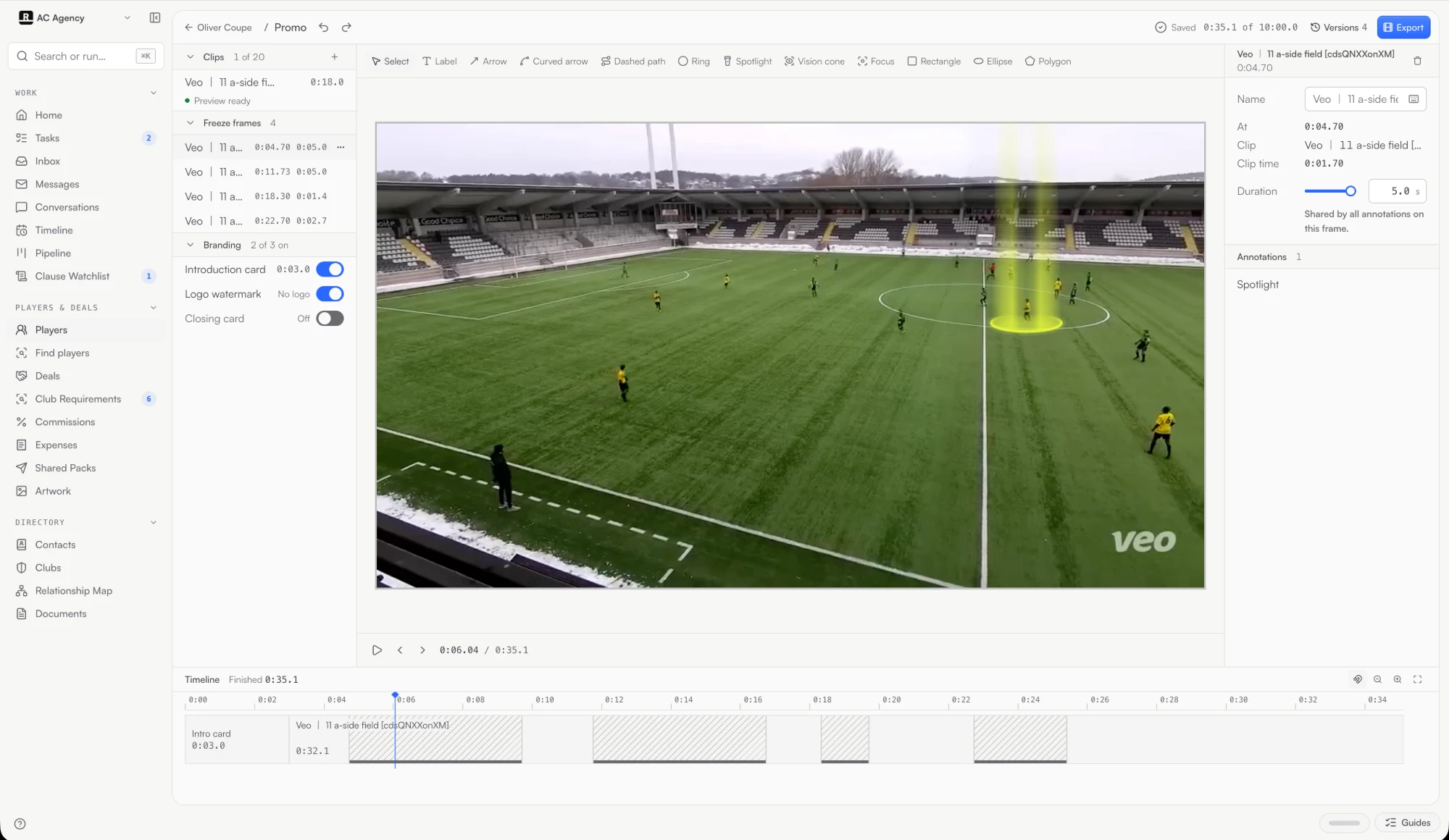
A scout does not have ninety minutes. Cut the player's clips to the moments that matter, pause on each one and point at what to look for. The reel opens on the player's name and closes on your agency's contact.
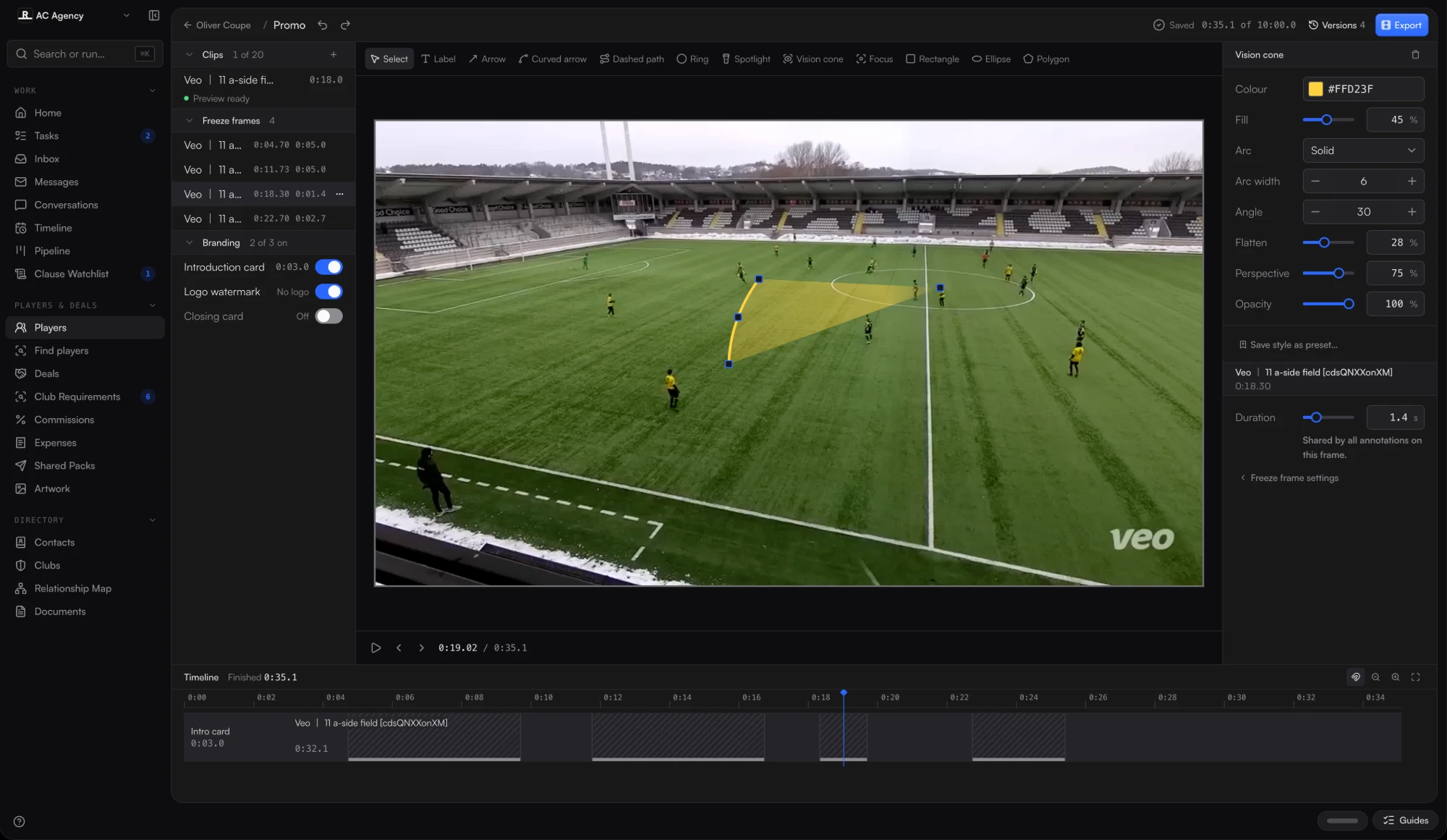
Pause the footage and draw on it: a ring, an arrow, a run, a zone, where the player is looking. The video and its sound stop together, show the point, then carry on.
Trim as soon as you add the files. Export in the background and carry on working. Each finished reel is a numbered version on the player's record.
Social artwork
A goal, a debut, a signing or a birthday deserves a post the same day. Artwork opens on the player, with the agency's colours, fonts and logo already in place, and gives you square, portrait and story sizes from one design.
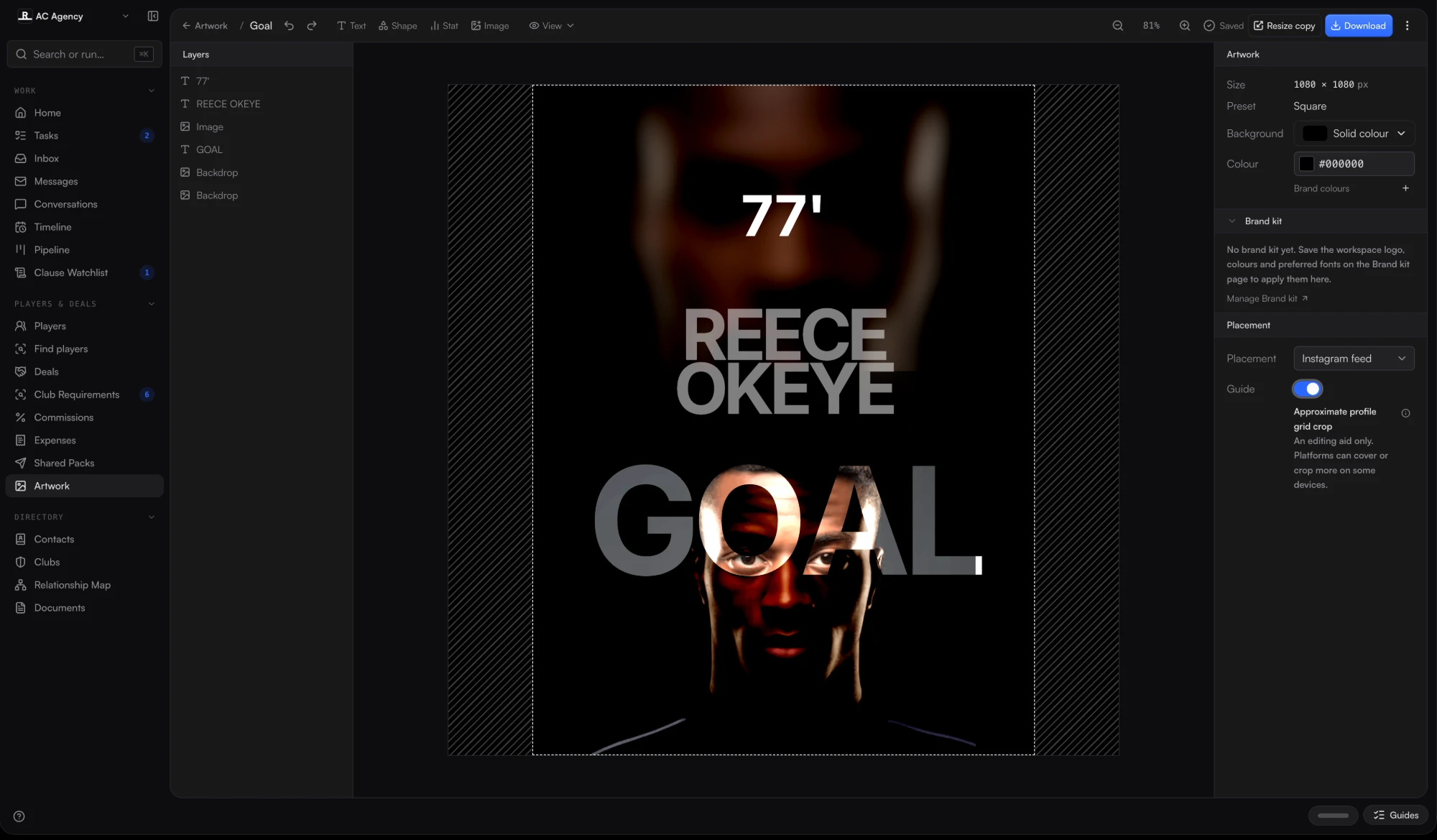
Pick a preset, drop in the player's photo and write the line. A placement guide shows what the platform will crop. Resize copy makes the next format.
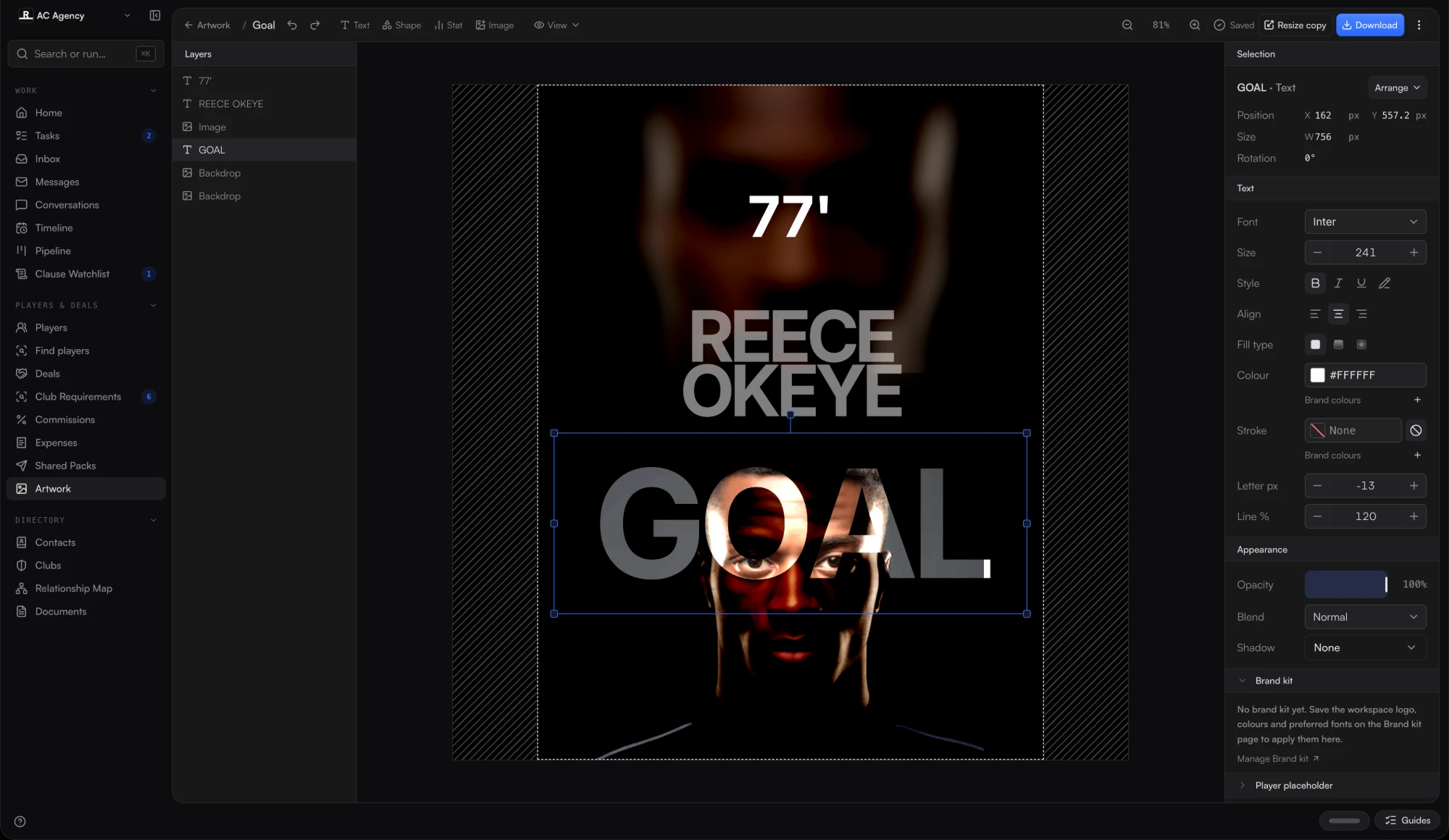
Select the headline and change the words, size or colour. Brand kit colours are one click away, so every agent's post looks like the same agency made it.
Brand kit
An admin saves the agency's logo, colours and fonts in the Brand kit. Reels and artwork pick them up by default, and an agent can still change a single piece without touching the kit.
Mark a goal, a debut or a signing
Open a design app and start again
Open the player and pick a preset
Keep every post on brand
Each agent improvises
Brand kit colours, fonts and logo by default
Post to feed and story
Rebuild the layout twice
Resize copy to the next format
Find last month's graphic
Someone's desktop
The player's record
Live now in every workspace
Reels, graphics and every version of them stay with the player, next to the contract, the dossier and the Packs you send.